Quickstart
Current release line
v0.1.4-rc.1 is the current preview and is published under npm's rc dist-tag; latest stays on the previous release line. Install the exact @ephemeral-ai/mayfly-cli@0.1.4-rc.1 (or @rc); plugins, CI, and reproducible environments should pin Mayfly 0.1.4-rc.1 and Harness 0.2.1-rc.2. The harness dependency line now tracks the npm RC release channel. This page is the user install path; the contributor development install (checkout, link install, iteration loop) lives in the developer manual under Contributing to Mayfly.
Prerequisites
| Dependency | Version |
|---|---|
| Node | ^22.19.0 || >=24.0.0 |
| pnpm | 11 (needed for first assembly, upgrades, and plugin management; an already-calibrated profile does not check it on every boot. Run npm i -g pnpm@11, or corepack enable && corepack prepare pnpm@11.7.0 --activate) |
| dsh CLI | the recommended mayfly launcher includes exactly 0.2.1-rc.2; only the direct-dsh path below installs it separately |
Install (preview)
Recommended: the integrated mayfly launcher. It carries the pinned Harness closure as common and platform archives, so npm installs one dependency-free package without resolving the Harness graph or running its install scripts:
npm -g install @ephemeral-ai/mayfly-cli@0.1.4-rc.1
mayfly
If the first run reports missing pnpm or a non-11 major:
npm i -g pnpm@11
# or: corepack enable && corepack prepare pnpm@11.7.0 --activate
The launcher npm install writes the shell and compressed runtime layers. The first command that needs dsh expands only the common and current-platform layers into a user cache with bounded memory and no network request. The first mayfly run still assembles the Mayfly profile through dsh plugin add and pnpm; that separate operation downloads the Mayfly plugin closure and can be resumed from pnpm's cache. On slow or metered networks in China, point both registries at a mirror:
pnpm config set registry https://registry.npmmirror.com
npm config set registry https://registry.npmmirror.com   # /update's version check goes through npm
Or install over your own dsh (bring your own host — for existing dsh users):
npm i -g @deepseek-ai/dsh
dsh plugin --profile mayfly add @ephemeral-ai/mayfly
dsh --profile mayfly
After installing, follow the two sections below — one key, then a first run; models, providers, themes, and API keys are covered in detail in Configuration.
- This RC does not move npm
latest; use the exact version above or@rc. An omitted dist-tag resolves the previous release line. - Upgrading: shell users re-run
npm -g install @ephemeral-ai/mayfly-cli@0.1.4-rc.1(reinstalling is the upgrade — the shell calibrates the profile's Mayfly to its own version and pins the host line with it); direct-dsh users type/updateinside Mayfly (the in-app safe upgrade: pre-flight, snapshot, boot smoke, automatic rollback), or re-run the sameplugin add.
One key before you ride
A single DEEPSEEK_API_KEY is all it takes to start using Mayfly — the out-of-the-box default talks to the DeepSeek official API (route deepseek-official, default model deepseek-v4-flash); nothing else to configure:
export DEEPSEEK_API_KEY=sk-... # or store it in ~/.dsh/.credentials.yaml, once and for allSwitching models, wiring custom gateways, theming, and more: Configuration.
First run
mayfly                        # interactive: welcome banner + input editor
mayfly fix the null deref on the login page    # run a task directly
# direct-dsh users: dsh --profile mayfly (the two are equivalent — the shell
# just manages the host and the profile for you)
A few things to try first:
- type
/to see slash-command autocomplete,/helpfor the command and key overview; - ask something and watch the streaming reply and tool cards;
/themelists the 32 built-in palettes (Mayfly's own and ports of Catppuccin, Dracula, Nord, Tokyo Night, …) by name, grouped for dark and for light terminals, with Auto and the current one checked;/theme tidehot-swaps and your draft survives. The Theme row in the/settingspanel cycles the same palettes live and persists the default;- on exit, the last line is the session epitaph: the session id and a one-line resume command (a triple-click selects exactly it) — pick the conversation right back up next time.
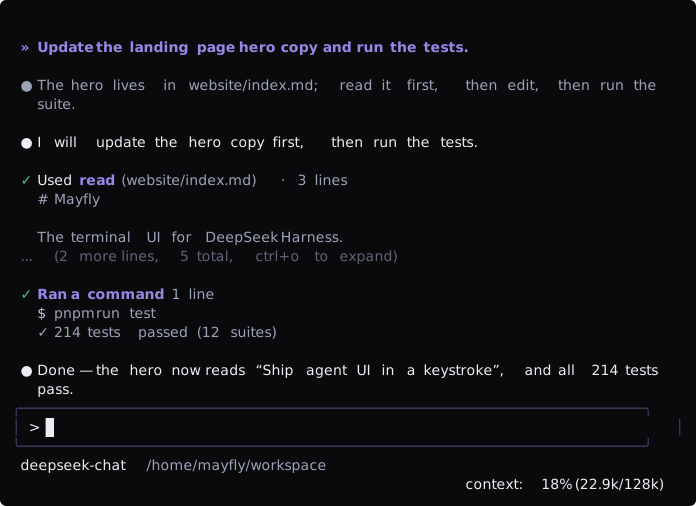
Interface preview